



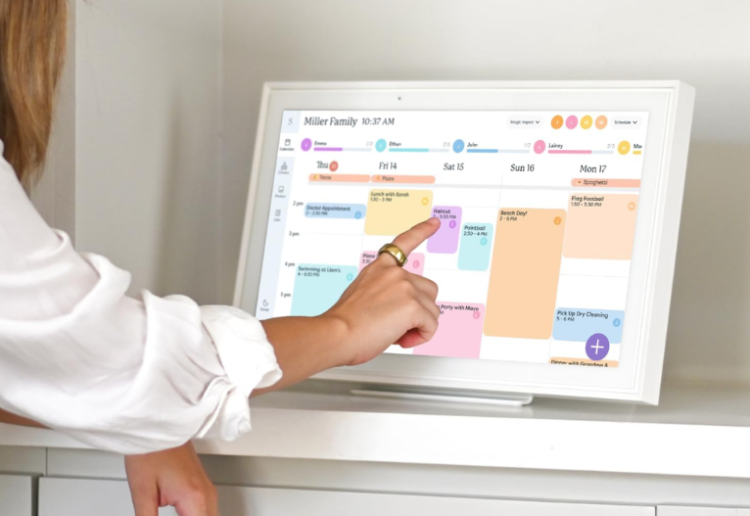
If you’re on the fence about whether a Skylight Calendar is something your family needs, you’re pretty much where I was a few months ago. After trying out this digital calendar, I have plenty of knowledge to pass on!
I wasn’t sure that a digital calendar would make much difference to our family’s day-to-day. I’ve been a devotee of Google Calendar on my phone to keep everything running smoothly. The problem was, nobody else joined the family calendar, so it was still up to me to keep the troops in order!
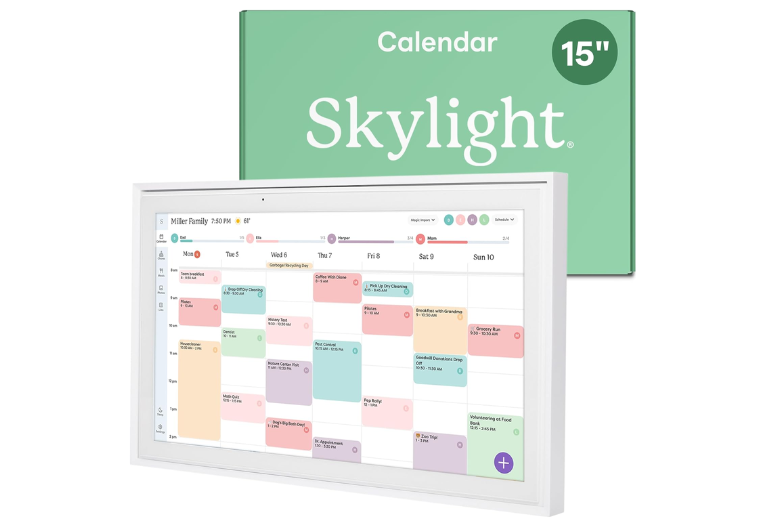
I have two teenagers going in every direction – school, work, sport, friends, and a husband who will admit he has no clue what’s happening next. I’m happy to say the Skylight Calendar has created a little corner of calm in the chaos that can be our house, where everyone can see what’s happening at a glance.
The magic for me is how it pulls in all our calendars from our phones. I didn’t realise how much time I spent repeating dates, reminding people about sport, birthdays, school things, work shifts. Now it’s all right there in one spot, and everyone can actually see what’s going on.
My favourite features of the Skylight Calendar
Right out of the box, this piece of tech is more than just a calendar. It’s a central hub for everything: appointments, chores, meal plans, to-dos and reminders.
Auto-sync calendars: We pulled in Google calendars (ours and the kids’), Outlook and iCloud calendars, it handles all of them. That means whenever someone adds something on their phone, it shows up on the Skylight without us having to do anything else. Made a last-minute shift at work? It appears. Sport practice has changed time? There it is. I don’t have to send another text or reminder.
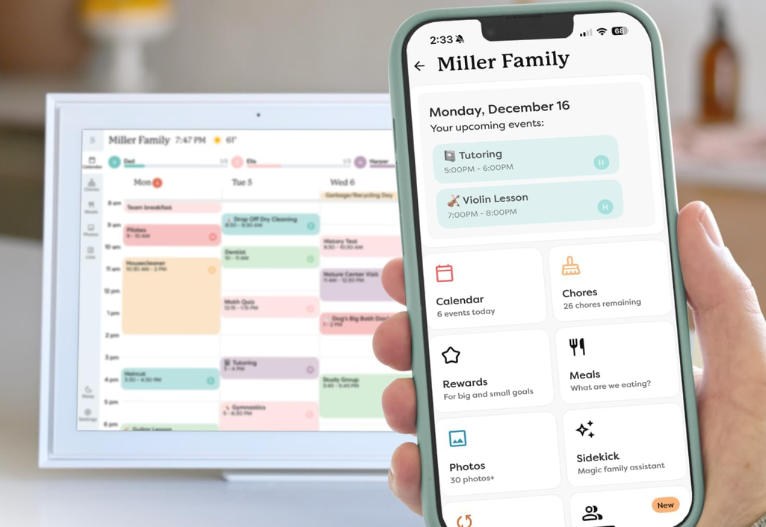
Colour-coding: Each person in the family has their own colour (I made one for me, my husband, each teen and even the dog!). It’s so easy to glance at the screen and tell who needs to be where, there’s no blur of overlapping events and confusion. I love that.
Flexible views : I can switch between day, week, month and schedule views, depending on what we need. For a quick overview of what’s coming up (school, birthdays, holidays), monthly works. For meal planning and chores, weekly or schedule view does the job.
To-do lists and custom lists: Grocery lists, to-dos, deadlines, reminders, it’s all in there. Everyone can access the lists, which is handy when someone needs to grab something from the shops or check off a task.
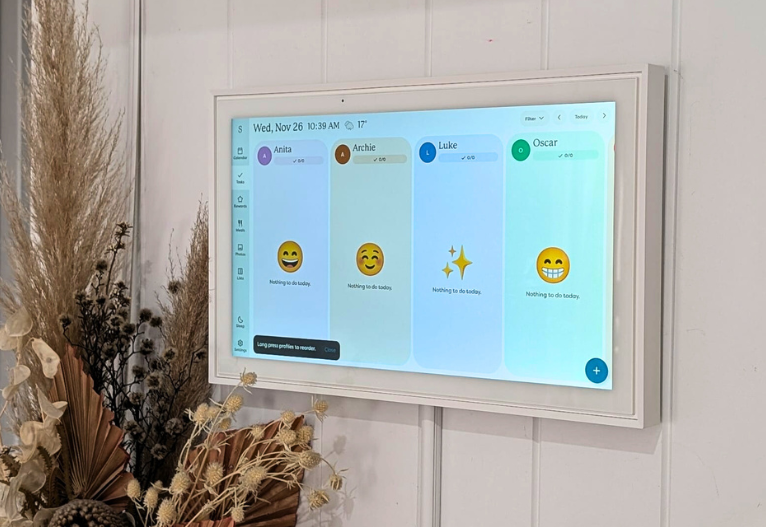
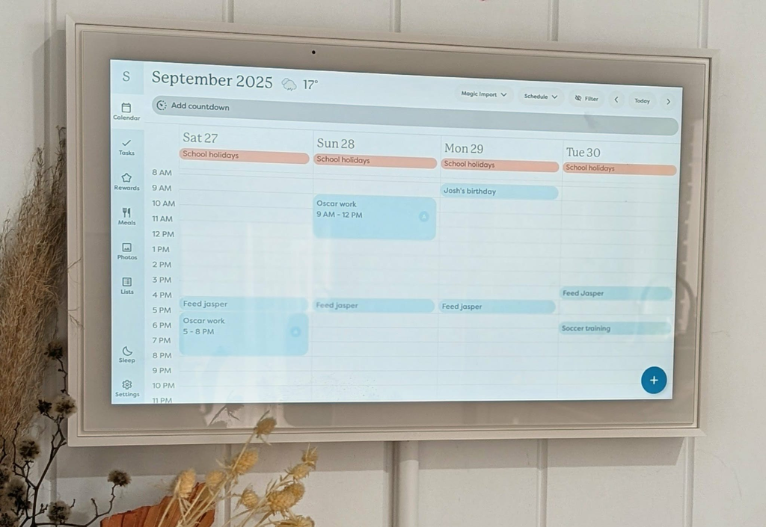
Chore charts and routines: One thing I didn’t think would matter so much now that the kids are older, but actually it still works. You can set recurring chores, routines or tasks for each family member, and they tick them off as they go. I love that it encourages independence, especially for the teens. But if you have little ones, they will love ticking off their chores and keeping track.
Meal planning (with the Calendar Plus add-on): This is gold. I can plan breakfast, lunch, dinner, snacks for the week. As we all see it on the screen, no one asks “What’s for dinner?”, We even save favourite recipes and re-use them, which saves brain energy and time.
Magic import (Plus): Instead of manually entering every little event or flyer from school, I forward the email or PDF to the Skylight and it magically adds the event to our calendar. Great for school newsletters, sports fixtures, reminders and more.
Photo & video screensaver (Plus): When the calendar isn’t actively in use, it becomes a digital photo frame. We all send photos through (kids’ sport moments, silly selfies, holidays) and it’s always a surprise what will pop up. When people are over I’ll usually find them watching the photos!

Sidekick Smart Family Assistant (Plus): This is the behind-the-scenes helper that does the heavy lifting: importing events from emails and PDFs, helping build meal plans, etc. It’s like the unseen organiser I always wished I had.
Parental lock: Important if you don’t want random edits (especially handy with teenagers). You can prevent kids from deleting or editing events or chores.
Weather and event countdowns: Handy little features like showing weather for where events are scheduled, and countdowns for birthdays, holidays or special events. Helps us plan around the weather and builds a bit of excitement for upcoming celebrations.
Standard Features
These are the features that are included out of the box with the Skylight Calendar:
- Tasks Manager
- Colour Coding
- Mobile App
- Custom Lists
- Customised Views
- Weather
- Event Countdowns
- Sleep Mode
- Parental Lock
- Device Linking
- Share Access
Calendar Plus Features
If you’re willing to sign up for the Calendar Plus subscription, these are the extras you’ll get:
- Rewards
- Photo Screensaver
- Magic Import
There are a few small cons to mention.
- Sometimes syncing calendars from certain services (like iCloud or Outlook) can take a bit of time, it’s not always instant.
- The Skylight Calendar doesn’t run off battery, it needs to stay plugged in, so placement matters.
- If you go for the full Calendar Plus, it’s a subscription. It’s up to you if you think your family will get benefit out of it but for us, it’s been worth it.
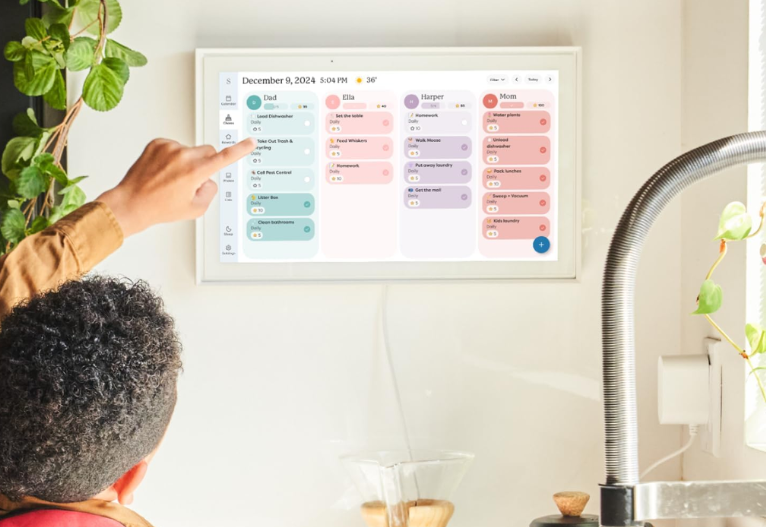
Overall, I think a Skylight Calendar is a game-changer for busy families – and mums in particular who usually end up doing most of the family organisation. Having a Skylight feels like having an assistant, letting everyone know what’s happening at a glance. So, is a Skylight Calendar worth it. If you ask me, it’s a resounding yes!
Where to find the Skylight Calendar
The Skylight Calendar 15” is currently on sale for Black Friday for $429 via Amazon.

My family was kindly gifted a Skylight Calendar 15” for the purposes of review.
We may receive commissions for purchases made through links in this post. Please see our Terms & Conditions.
















7:11 pm
3:34 pm
11:06 am
4:03 pm
12:11 pm
7:40 pm
7:36 pm
7:21 pm
11:00 pm
9:12 pm
2:10 pm
12:50 pm
8:45 am
2:49 pm
11:48 pm
4:04 pm
11:31 am
6:47 pm
1:09 pm
11:17 am
- 1
- 2
- »
Post a commentTo post a review/comment please join us or login so we can allocate your points.