



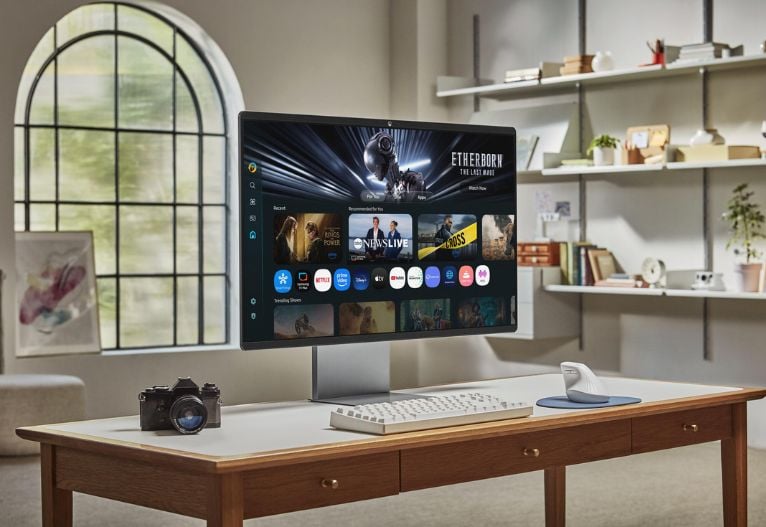
Whether you’re creating, gaming, streaming, or working from home, there’s a Smart Monitor for you. The Samsung Smart Monitor review team are currently putting their smart monitors to the test, check back in to see what they think.
Samsung Smart Monitor M9
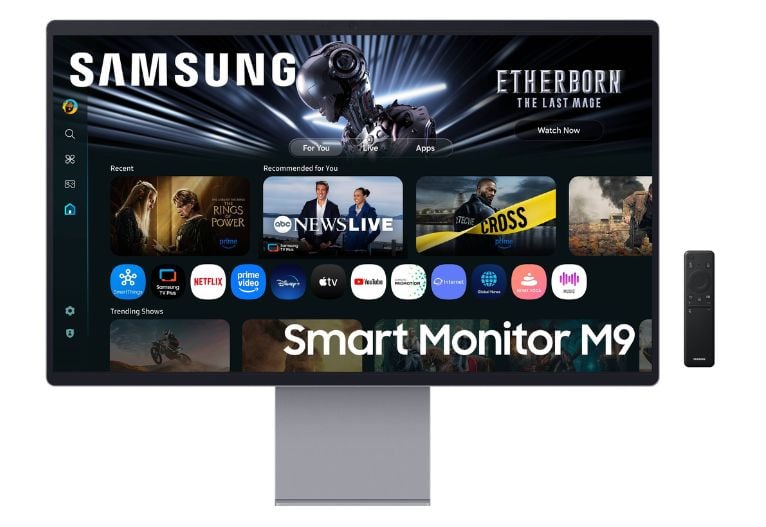
The Samsung Smart Monitor M9 is a do-it-all premium monitor designed to elevate productivity, entertainment, and gaming experiences all from one screen.
The premium 4K QD-OLED display that blends cutting-edge visuals with intelligent features. It’s Samsung’s first OLED Smart Monitor, delivering deep blacks, vivid colours, and Pantone Validated accuracy. Designed for creators and professionals, the M9 features a 4K QD-OLED, Smart TV Apps and Samsung Vision AI.
The monitor doubles as an entertainment hub with built-in Smart TV apps and Samsung Gaming Hub, allowing users to stream and game without a console. Its slim metal design and glare-free display offer a refined aesthetic, while the Easy Setup Stand provides ergonomic flexibility. With USB-C (90W charging), HDMI 2.1, and DisplayPort 1.4, it’s built for seamless connectivity.
The Smart Monitor M9 is ideal for families comprising a C-Suite executive who demands a high-performance work from home monitor, who wants to watch their favourite content on the best OLED display, and requires winning-edge gaming performance when they kick back to relax. The M9 would be an uncompromising premium companion to complement their luxe lifestyle.
Find out more about the Samsung Smart Monitor M9.
Samsung Smart Monitor M7
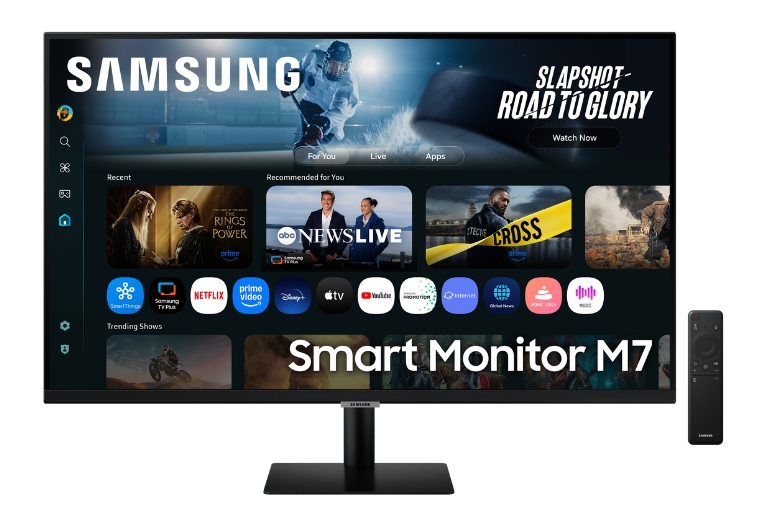
The Samsung Smart Monitor M70F is a versatile 32-inch 4K UHD display with vibrant picture quality and built-in AI features designed to enhance productivity and entertainment experiences. The M7 combines the functionality of a traditional monitor with the smart capabilities of a TV, offering seamless integration with streaming platforms and voice control through built-in smart features.
The sleek and stylish M70F supports wireless screen mirroring, allowing families to easily share content from compatible smartphones or tablets, as well as Multi View to enhance side-by-side working or entertainment. With Microsoft 365, access, families can create and edit documents directly from the monitor without a PC, providing a convenient and enjoyable experience for both work and leisure.
The Smart Monitor M70F is ideal for busy families juggling university studies, various opinions on what to watch on the TV each night and has work from home requirements. Including those who value reliable, well designed, and easy to use smart devices that will make life easier for everyone.
Find out more about the Samsung Smart Monitor M7.
The Samsung Smart Monitor review is now underway!
Reviewers are currently trialling their Smart Monitors at home. Check back in to see what they think.
Published 30th September 2025





























-

-
-
Taslifewitheliza said
- 15 Dec 2025
-

-
-
Taslifewitheliza said
- 11 Dec 2025
-

-
-
Min said
- 11 Dec 2025
-

-
-
jack albert said
- 07 Dec 2025
-

-
-
mom512128 said
- 07 Dec 2025
-

-
-
Min said
- 07 Dec 2025
-

-
-
markal said
- 07 Dec 2025
-

-
-
Min said
- 07 Dec 2025
-

-
-
katea said
- 06 Dec 2025
-

-
-
Angiepangie said
- 05 Dec 2025
-

-
-
mom512128 said
- 04 Dec 2025
-

-
-
Angiepangie said
- 03 Dec 2025
-

-
-
mom221746 said
- 29 Nov 2025
-

-
-
mom221746 said
- 28 Nov 2025
-

-
-
katea said
- 17 Nov 2025
Click here to post a review11:23 am
Smart Monitor M9 Review
Our Samsung M9 lives in our kitchen & dining room and provides us with entertainment but workspace functions. Right from the start of the day singing nursery rhymes during breakfast, hubby and I working and creating with high quality visuals during the day.. then our four children all enjoy streaming, watching free Samsung TV, scrolling the internet for homework or ideas of what to do on the weekend. Both Hubby and I have positively experienced the AI functions. From asking how to increase our pool pH level, creative handmade Christmas tag ideas to ideas of places to take the family locally over the holidays! My two older boys who love gaming have told me the 144Hz refresh rates helps them in their favourite face paced games. No more glitching and they are able to play with the most vibrant graphics and large 32 inch display.

What would you rate this product now that you've tried it?
This member received this product in exchange for their honest opinion.
❣️❣️ Love it! M9 has everything we need ❣️❣️
While Hubby and I cook dinner and clean up, our M9 allows us to stream our favourite shows and still be productive at the same time!
One monitor that truly does it all with the best use of modern technology. We all approve and highly recommend this M9 monitor for busy households.
6:28 pm
Smart Monitor M9 Review
THE M9 @samsungau Monitor is one screen with so many functions! Simplify your life with a M9 as this intelligent monitor improves your work from home productivity and can be enjoyed by the entire family!

What would you rate this product now that you've tried it?
This member received this product in exchange for their honest opinion.
Intelligent technology for the entire family!
My husband Darby was so surprised with how advanced the @samsungau M9 technology is and how easy it is to streamline into our lives.
Baby girl enjoys singing 🎶 to tunes during breakfast and Darby plans his projects during the day with Microsoft365 in the Workspace feature. When our other three children get home it’s a rush to experience and enjoy the M9 first.
The M9 offers benefits such as:
* Beautiful QD-OLED visuals (deep blacks, vibrant colors, 4K)
* high-performance gaming (165Hz, 0.03ms, Gaming Hub) like WOW you can easily connect and game like a pro
* integrated smart TV features for streaming
* excellent productivity with USB-C power delivery
* Samsung DeX integration
The Samsung M9 monitor looks super luxe and has an AI-enhanced design. Its webcam provides us with clear video calls and advanced sound.
5:03 pm
Smart Monitor M7 Review
The Samsung M7 Monitor has great features, with amazing high quality 4K and the 32 inch size makes work so much easier to see all my reports and presentations.
What would you rate this product now that you've tried it?
This member received this product in exchange for their honest opinion.
Look no further, this monitor has it all!
The slim and sleek design makes it visually appealing and looks like a TV.
When not working, the 4k is truly remarkable when playing the newest games and also I was able to connect my old console to play some retro games with the kids. You can really tell the difference from other monitors.
You are able to connect your gaming controls to the Samsung M7 Monitor to download and play free games, this is a game changer. The kids absolutely loved this.
The SamsungTV Plus Channels are a great addition when just wanting to watch some TV. Apps come pre-installed for quick access to high quality streamlining services for all your entertainment needs.
All in All, after a long hard day at work, I can have some bonding time with the kids and also enjoy a movie with my wife all thanks to the Samsung M7 Monitor that has it ALL!
9:20 pm
Smart Monitor M9 Review
The Samsung M9 Smart Monitor has been a great addition to my setup as both a graphic design student and a casual gamer. The 4K resolution is sharp and clean, which makes working on detailed design projects much easier. Colours look accurate and vibrant, so I can trust what I’m seeing on screen, whether I’m editing photos, creating layouts, or working on motion graphics.

What would you rate this product now that you've tried it?
This member received this product in exchange for their honest opinion.
Samsung M9 Smart Monitor – Review
When I switch to gaming, the 144Hz refresh rate makes everything feel smooth and responsive, especially in fast-paced games. I didn’t expect a smart monitor to handle gaming this well, but it actually performs better than I thought it would.
The convenience is a huge bonus. USB-C lets me power my laptop and display everything through a single cable, keeping my desk tidy. Plus, the built-in apps mean it doubles as a mini TV. Overall, it’s a reliable, versatile monitor for study and play.
8:56 pm
Smart Monitor M9 Review
I’m a big fan of the Samsung M9 Smart Monitor. Going from two monitors to one big screen helped to clear my desk of clutter. But it wasn’t a sacrifice in screen space. The big 32 inch screen is wide enough for side-by-side display of 2 (or more) windows making work more efficient. I really like the screen’s 4k resolution, which I’ve found is brilliant to produce and check high-resolution figures/graphs for online publication. The solar powered remote is a stroke of genius and really intuitive to use. Would recommend!

What would you rate this product now that you've tried it?
This member received this product in exchange for their honest opinion.
Big Fan of this Monitor
12:58 pm
Smart Monitor M7 Review
Must I say, Samsung has gone next level with the M7 Monitor. Anything and everything you’ve ever wanted is here, App Store, Netflix, AI, voice, games - it’s all here. Whether work or just a little treat for yourself, Samsung has thought of it all. My family have successfully connected their gaming consoles and played for hours, my daughter has sang her little heart at karaoke, and I’ve successfully complete many reviews without the need of a PC, it’s all here and connected seamlessly. It’s 32 inch, 4K screen satisfies the needs for work and post work needs for the whole family. If your on the hunt for a new monitor, I could t look past the Samsung M7 for all your needs.

What would you rate this product now that you've tried it?
This member received this product in exchange for their honest opinion.
Everything you’ve ever wanted in a monitor
12:28 pm
Smart Monitor M9 Review
The Samsung Monitor M9 looks great, has simple connectivity, is ergonomic and importantly for me, light and portable allowing me to work form anywhere in the home. The 32" 4k QD-OLED all-in-one display is excellent for me as I need to be able to access multiple applications for work, and switch between them as required - the quality of the screen is excellent, with crisp colours and deep blacks. I'm on video conferencing calls several times a day, and the M9's Built-in 4k Camera area;lly is fit for purpose, particularly as my meetings tend to involve the sharing of detailed information.

What would you rate this product now that you've tried it?
This member received this product in exchange for their honest opinion.
Samsung M9 is a great all-in-one work display!
From an entertainment perspective the Samsung. Monitor M9 is excellent. At the touch of a button it turns into a Smart TV with popular apps there at your finger-tips. I like to catch up on my favourite sports or music videos when I take a break, and love the quality of the 4k QD-OLED for that purpose.
I'd highly recommend the M9 for its portability, versatility and high-performance for both work and entertainment!
12:22 pm
Smart Monitor M7 Review
The Samsung M7 Monitor has great features, with amazing high quality 4K and the 32 inch size makes work so much easier to see all my reports and presentations.

What would you rate this product now that you've tried it?
This member received this product in exchange for their honest opinion.
The monitor that has it all!
The slim and sleek design makes it visually appealing and looks like a TV
When not working, the 4k is truly remarkable when playing the newest games and also I was able to connect my old console to play some retro games with the kids. You can really tell the difference from other monitors.
You are able to connect your gaming controls to the Samsung M7 Monitor to download and play free games, this is a game changer. The kids absolutely loved this.
The SamsungTV Plus Channels are a great addition when just wanting to watch some TV. Apps come pre-installed for quick access to high quality streamlining services for all your entertainment needs.
All in All, after a long hard day at work, I can have some bonding time with the kids and also enjoy a movie with my wife all thanks to the Samsung M7 Monitor that has it ALL!
10:54 am
Smart Monitor M9 Review
I love this slim, sleek Samsung M9 monitor! Not only is it a smart tv (hello fav tv shows when I need a break), it's also a quality monitor that pairs easily with my laptop to work from home. My work space is very light and bright so the anti-glare feature has been excellent (way better than my old monitor) and the Samsung Vision AI has been a game changer for eye strain - and that is real when you are infant of the screen for 8-10 hours in a day! The OLED display is clear and vibrant for whatever you're doing - emails, editing or even gaming, and the colour contrast, accuracy and depth is exceptional for photo editing. For me the heat dissipation sheet feature is brilliant as it stops "burn in" when you have an image on screen for a long time. Honestly, it's a great experience whether you're watching tv, gaming or wfh!!

What would you rate this product now that you've tried it?
This member received this product in exchange for their honest opinion.
SMART AND MULTI-FUNCTIONAL - LOVE IT!
10:00 am
Smart Monitor M7 Review
The Samsung M7 Smart Monitor has been a great addition to our family. It suits everybody's needs ranging from kids into their gaming and streaming services as well as adults for professional purposes using Microsoft Office. The remote is handy to have and really gives it a 'TV' feel as opposed to standard computer monitors. The AI technology is extremely intuitive and gives the monitor its smart edge against other standard products on the market. The design is slick and modern.

What would you rate this product now that you've tried it?
This member received this product in exchange for their honest opinion.
Great Graphics and All-in-one
12:14 pm
Smart Monitor M9 Review
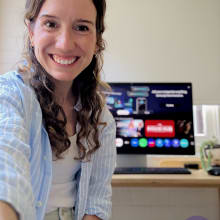
I've been lucky enough to test the Samsung M9 monitor. It is amazing! If you're looking for a new monitor I highly recommend giving it a try, there's no going back for me!! Things I LOVE - high resolution 4K screen, eye saver mode, a super bright screen, and most of all it's easy to use. It's multifunctional which is great in a small space. We can use it for work and then off-duty it functions as a tv/gaming centre for the kids (or big kids!). Everyone in the family can get in on the fun!! Bonus -- the remote is solar charged so you'll never have to tear apart every device in the house looking for a useable battery while your 2 year old is screaming for tv time -- hypothetically of course, that would never happen to me!! 😂 Highly recommend giving this monitor a try.
What would you rate this product now that you've tried it?
This member received this product in exchange for their honest opinion.
The Samsung ‼️EVERYTHING‼️ Monitor - Why I LOVED 🥰 the M9
2:12 pm
Smart Monitor M7 Review
The Samsung M7 Smart Monitor has been such a versatile all-in-one device for our family. From the initial setup, it has been seamless to say the least. The 4k resolution has been amazing to produce Powerpoints on and the 32 inch screen is wide enough to fit 2 Excel spreadsheets side by side with total clarity. It also doubles as an entertainment hub for the kids and I can sit back to stream shows on Netflix at the click of a button on the remote too. The AI function is intuitive and extremely handy to have. I can ask for almost anything and the quality of responses back is fantastic.

What would you rate this product now that you've tried it?
This member received this product in exchange for their honest opinion.
Versatility at its finest
4:56 pm
Smart Monitor M7 Review
The Samsung M7 Smart Monitor has been amazing. I run two businesses and do a lot of my work from home, so I needed a screen that can keep up with everything from staff rosters, wages, stock ordering, emails, spreadsheets etc

What would you rate this product now that you've tried it?
This member received this product in exchange for their honest opinion.
Great for business and pleasure
The M7 has pretty much become my “command centre”.
Most days I use it as my main work screen. I can connect my laptop or phone wirelessly and get straight into it, with no messing around with docking stations or extra cables. Having everything on one big, clear display makes it so much easier to juggle the business side of things. It’s definitely helped me stay more organised and on top of things.
The split screen function is a game changer and has saved me so much time. Being able to run two pages side by side without needing a second monitor is huge.
When it’s time for a break switching into “entertainment mode” is seamless. I use it for Netflix, YouTube and all the streaming apps that are already built in. I even run Spotify in the background while I’m working. It looks clean on the desk, doesn’t take up much space, and does everything I need it to, both for business and downtime.
Overall I’m really impressed. If I had one small suggestion for improvement, I’d love apps and menus to load just a touch faster, but honestly it’s a great all round screen. It has made both my work and home setup a lot easier.
9:49 pm
Smart Monitor M7 Review
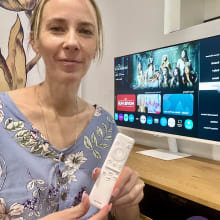
This monitor is INCREDIBLE!
What would you rate this product now that you've tried it?
This member received this product in exchange for their honest opinion.
The EVERYTHING screen!
Is it a computer? Is it a TV? It’s honestly everything in one. It’s a compu-TV!
It has so many apps and streaming services built in and you don’t even need to plug anything into it! Netflix, Spotify, browsing the internet, using Microsoft Word… the list of uses just keeps going!
One of my favourite features is the SOLAR-POWERED remote. Genius!
No annoying batteries to change and SO fantastic for the environment!
It also has voice control, screen sharing and you can even split the screen to use two things at once.
Our whole family has been obsessed with it. It’s super slim, stylish and just really practical. My boys use it for gaming and the Xbox controller connected to it in seconds.
My daughter uses it for uni work, and my husband and I use it for business, social media and the usual day to day banking, emails etc
This monitor is seriously next-level. It’s gotten to the point where the kids are begging to move it into their own rooms!
This all rounder is seriously the only screen any room needs and we just love it!
1:47 pm
Smart Monitor M9 Review
I absolutely love the M9. it was easy to set up, and connected straight away to my laptop. for a dual screen wfh set up. The quality of the display is outstanding (it has outstanding colour accuracy and vibrance so it's very handy for photo editing. Plus if you have a picture on screen for a while, the heat dissipation sheet means you don't get burn in! I often work long hours from home so I've loved the anti-glare screen (see my work set up on the video below - it's VERY light and bright and reflective, so that feature is brilliant for me). The Samsung Vision AI technology is also great because it adjusts the content you are looking at for optimal viewing with less eye strain! And how good is the fact that it is also a smart TV - streaming your favourite shows has never been easier! Depending on what you're working on / watching, you can also pivot the screen 90 degrees to suit what you're doing. My son Jack has been very impressed with gaming on the M9 - but more on that later! I definitely recommend this monitor, best one I've tried!

What would you rate this product now that you've tried it?
This member received this product in exchange for their honest opinion.
THIS MONITOR DOES IT ALL!
To post a review/comment please join us or login so we can allocate your points.
To register for reviews that are not open yet and for future reviews, enter your email below and we'll send you an email as soon as a review is open for application.